
Stop rebuilding the status deck every Friday.
Plan, track and report from one live sheet your team already knows how to use. Nothing to install, nothing to learn.
If you can use a spreadsheet, you already know how to Track it. app.wetrackprogress.com · Cedar Health: Finance Transformation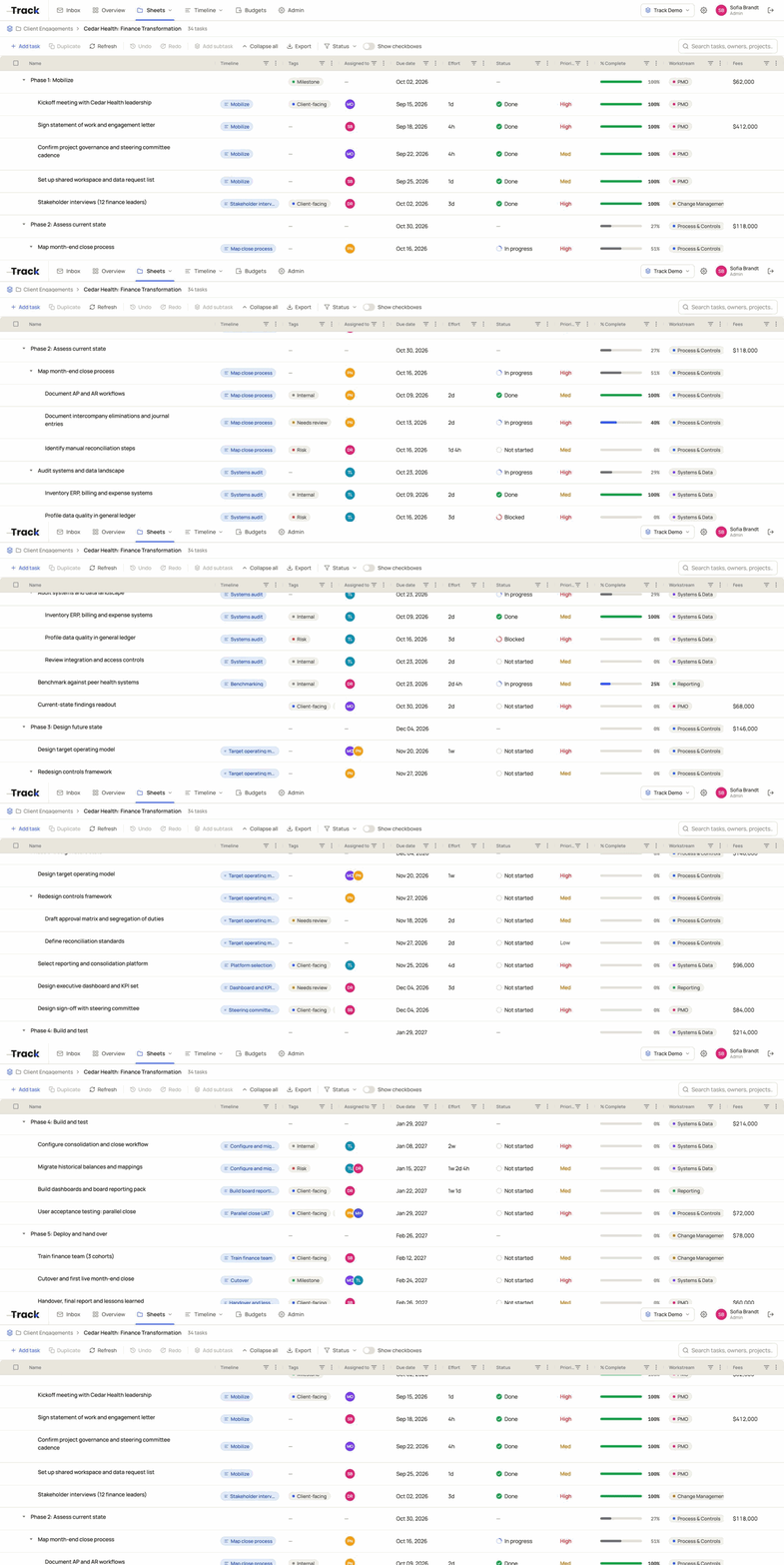
A spreadsheet works fine for one person. It breaks when the whole team runs on it.
It breaks in the same three places every time. Track keeps the grid and fixes all three, so there is nothing new to learn.
Plan_FINAL_v3 (2).xlsx
One sheet. One version. Everyone.
There is one sheet, in the browser, and everyone opens the same one. Nothing to email, nothing to merge, and you never have to ask which tab is current.
=AVERAGE(C14:C19)
Break it down without breaking the sheet.
Real subtasks instead of indented rows. Fold them away when you need one tidy row, and the parent’s percentage adds itself up.
@Priya see row 40
Everyone’s in the same sheet. Right now.
Comments live on the task, and an @mention lands in their Inbox the moment it is posted. You see it when it happens, not when someone sends the file.
The plan, the work and the money.
They usually live in a timeline tool, a task tool and a finance file. In Track they share one sheet, so nobody rebuilds the status deck by hand.
Plan it
Timelines with workstreams and bars anyone can read at a glance, with the real tasks linked behind every bar.
Track it
Sheets with tasks and subtasks, owners, statuses, tags and your own columns. Update a row in seconds.
Budget it
The budget next to the plan and the work, so spend never lives in a separate file.
Break it down without breaking the sheet.
Big task? Give it subtasks, fold them away, and the percentage adds itself up. Sort it, filter it, and the structure stays put.
- Subtasks with owners and dates of their own
- Parent rows roll up % complete on their own
- Effort in plain language, like 1w 2d 4h
Fold a parent away and it still shows the roll-up.
The roadmap your steering committee can read.
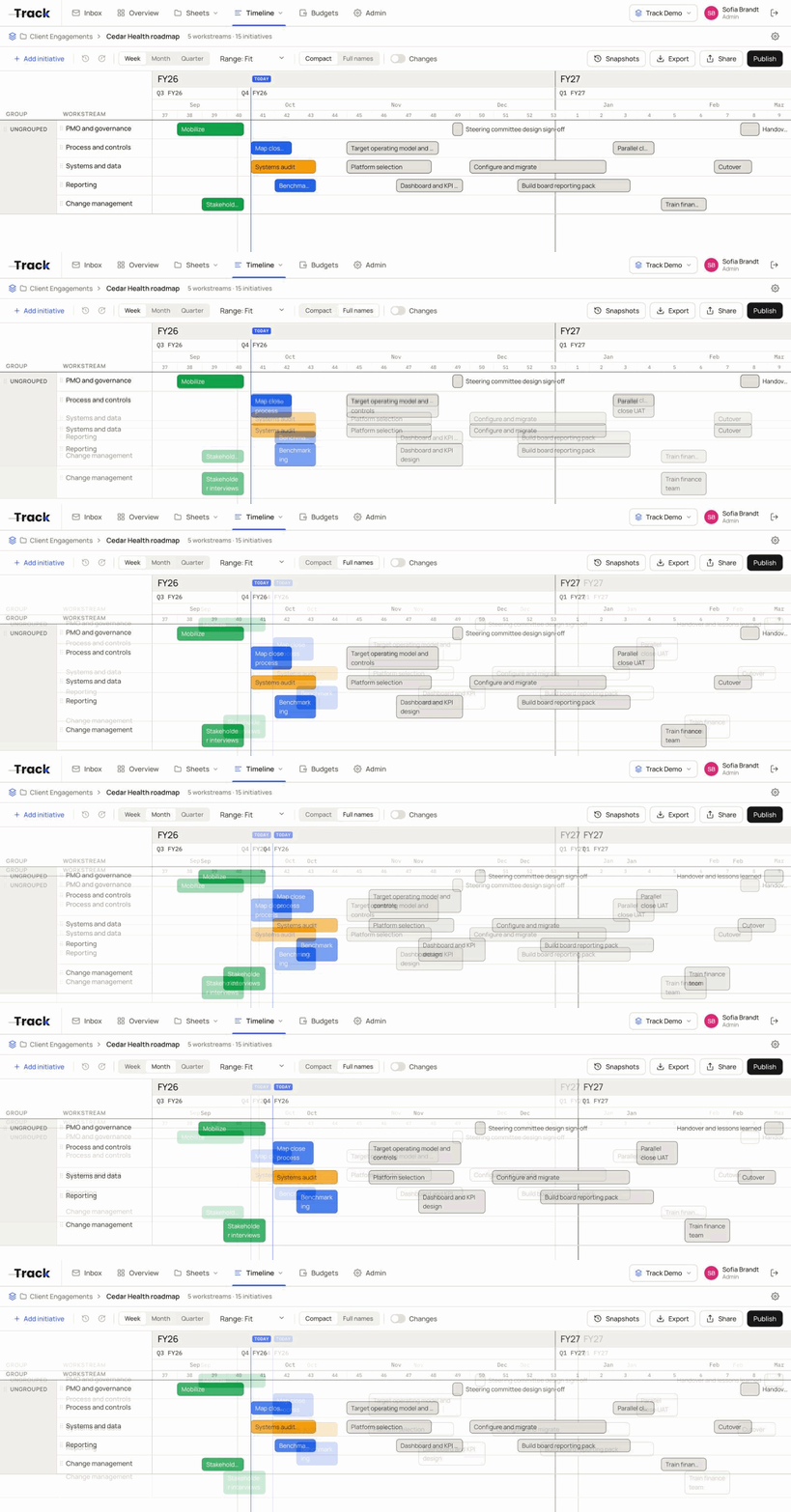
Workstreams down the side, weeks across the top. Each bar links to the tasks behind it, so the roadmap and the sheet stay in step.
- Week, month and quarter views
- Snapshots and a changes view show what moved since last week
- Publish a live link, not last week’s export
No more “can you send me the latest?”
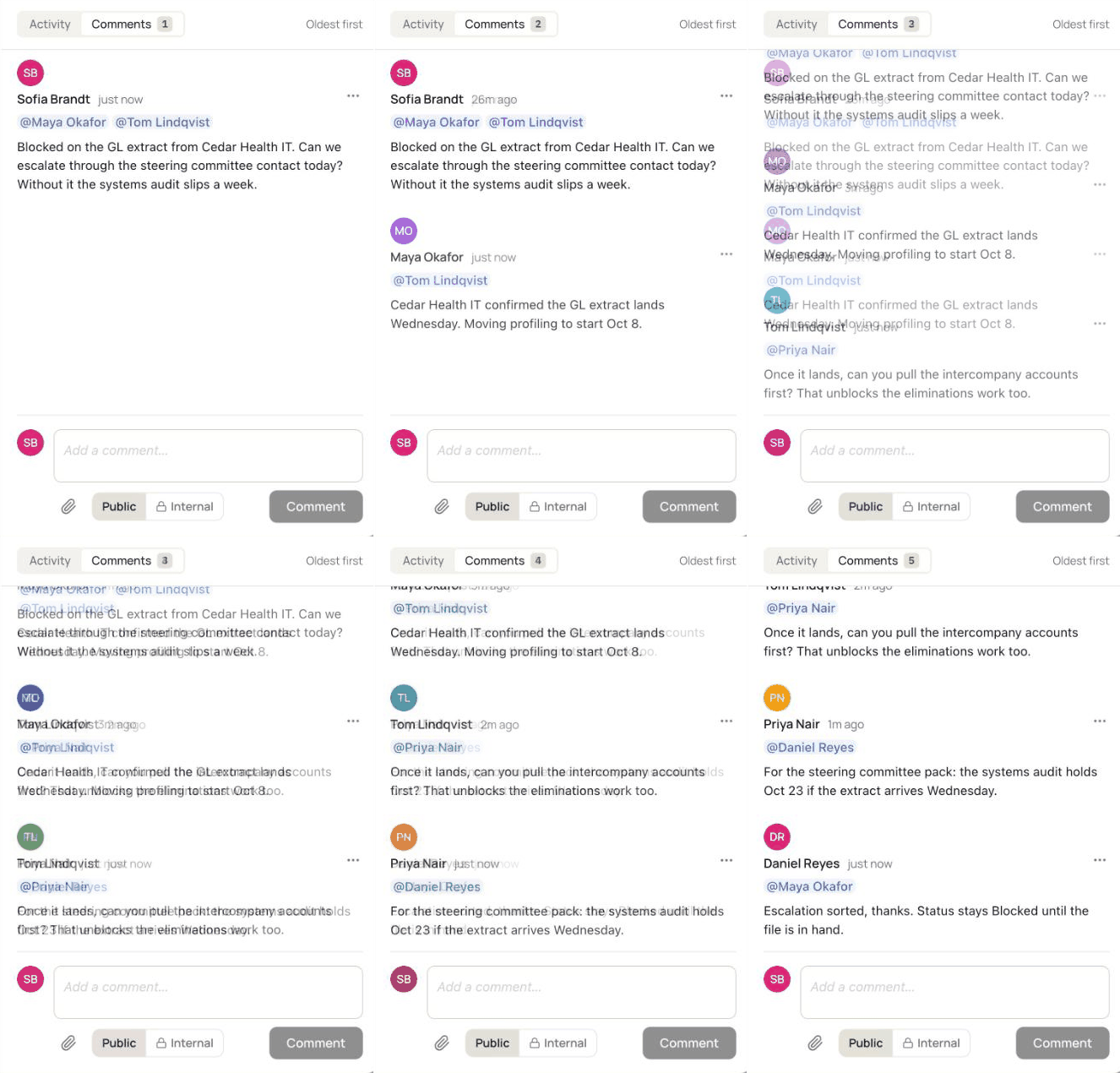
It is already open. It is already the latest. Comment on the task, @mention the person you need, and they see it in their Inbox as it happens.
- The @mention lands in their Inbox, not on row 40
- Public and internal comments, so guests never see the side notes
- Guests get the one sheet, not a copy of it
Everyone’s in the same sheet. Right now.
Everything that needs you, in one list.
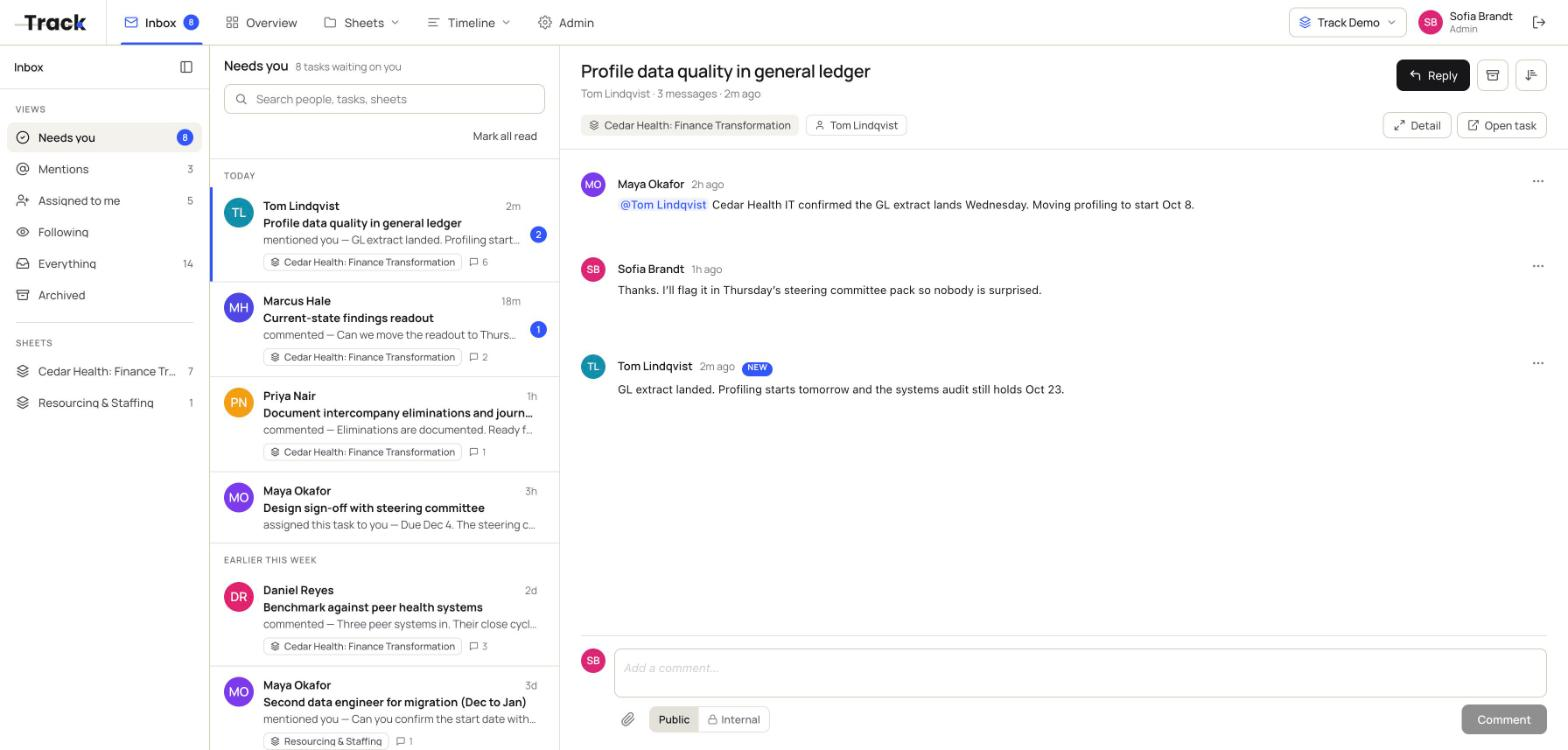
Mentions, assignments and comments from every sheet land in one Inbox that works like email. Open one and the whole thread is right there, next to the task it belongs to.
- Needs you, Mentions, Assigned to me and Following
- New activity arrives live, no refresh
- Reply, archive or jump to the task in one click
For the people who keep the work on track.
You manage plans and work, but “project manager” isn’t your whole job. Start with the sheet you already have.
Operations, PMO and project leads
If you rebuild the status deck from three files before every review, Track keeps the plan, the tasks and the tracking in one sheet.
Small and mid-sized teams
No PMO and no setup project. Open it and start typing, and the whole team is working in the same sheet that day.
Teams outgrowing a shared spreadsheet
Version conflicts, broken dropdowns, “which tab is current?” Keep the grid, lose the chaos, and get the timeline a simple tool never gave you.