
The grid you know. None of the chaos.
Sheets, subtasks, timelines and comments. One place, one version, everyone on it. Every screen below is the real Track app.
A grid that feels like home.
Rows, columns, filters and keyboard navigation you already understand. Every row is also a real task, with an owner, a status, dates and a conversation.
- Your own columns, like a Workstream dropdown or a Fees money column
- Statuses grouped into phases, so Done really means done
- Bulk edits, undo and redo, copy and paste
 app.wetrackprogress.com · Cedar Health: Finance Transformation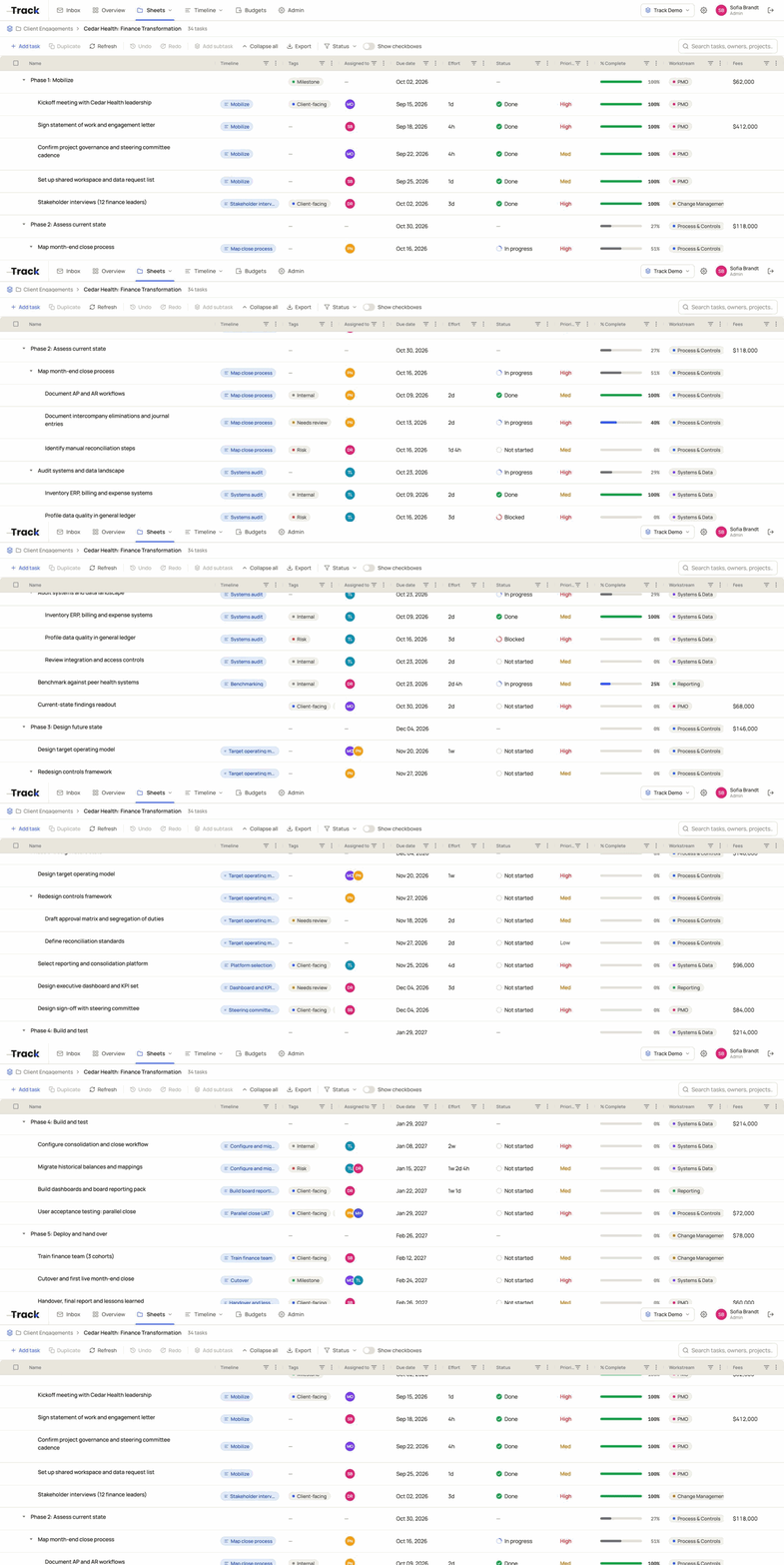
Break it down without breaking the sheet.
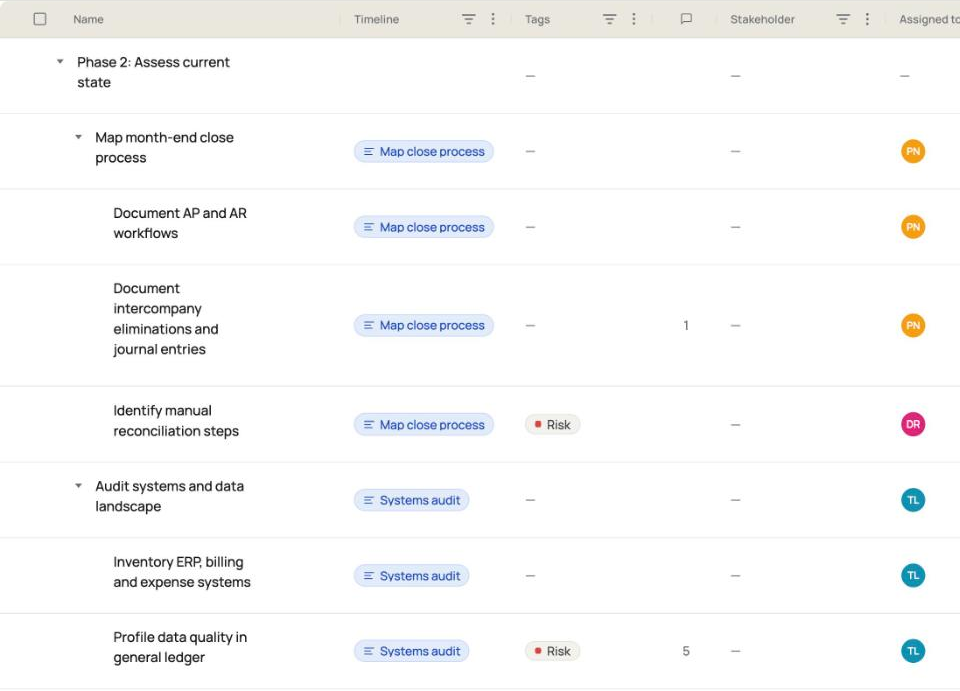
Give a task subtasks, and give those subtasks their own. Each one has an owner, dates and a status, and the parent row keeps the summary.
- Fold a branch away, open it again when you need it
- % complete rolls up to the parent, weighted by effort
- Drag work to a new parent or a new spot
All the detail when you need it. One tidy row when you don’t.
The roadmap your steering committee can read.
Workstreams on the left, time across the top. Bars show what is planned, active, at risk or done, and each bar links to the tasks behind it.
- Week, month and quarter views, by fiscal year
- Link tasks from any sheet to a bar
- Snapshots and a changes view; publish a live link
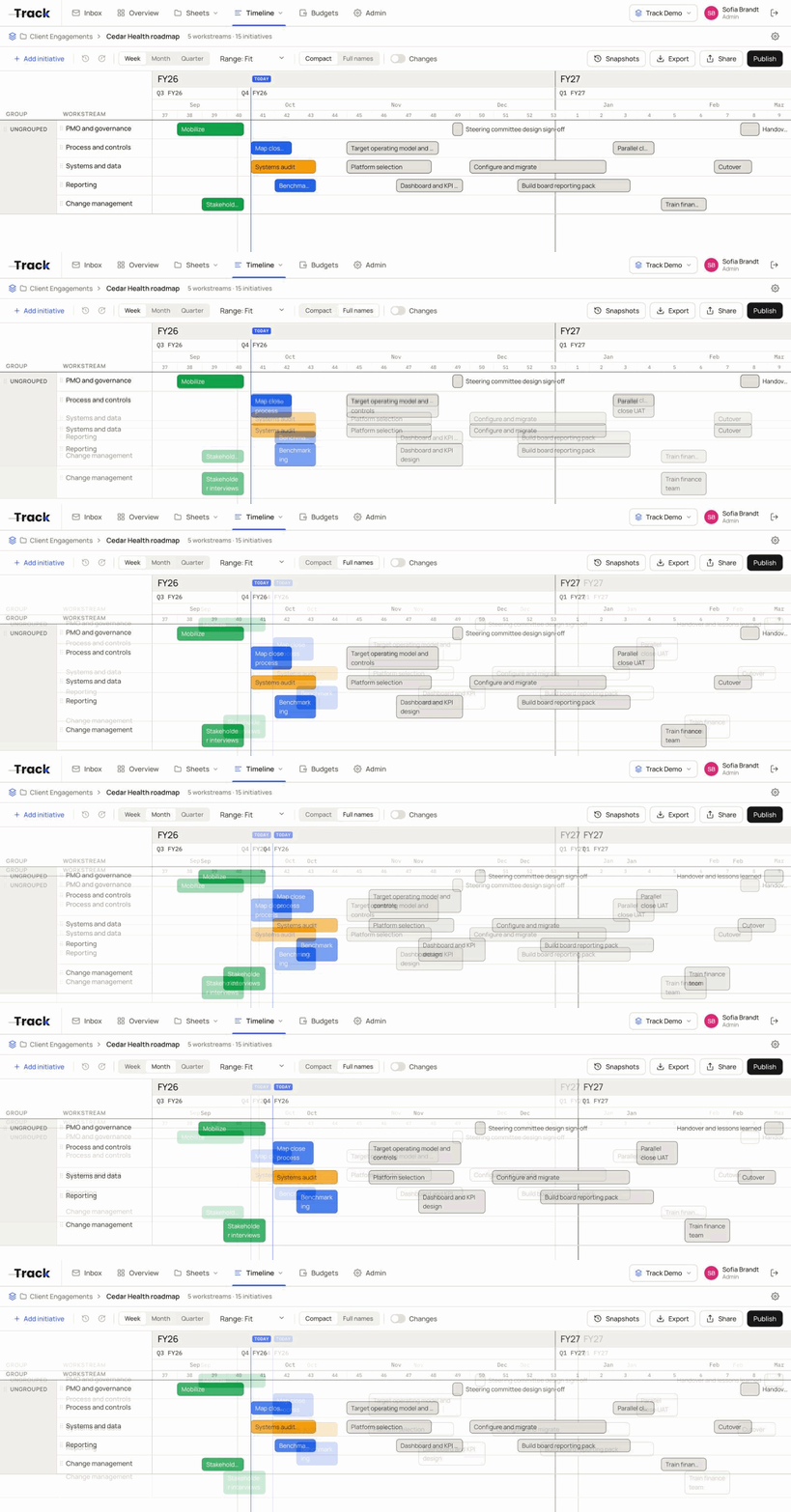
The roadmap and the sheet stay in step.
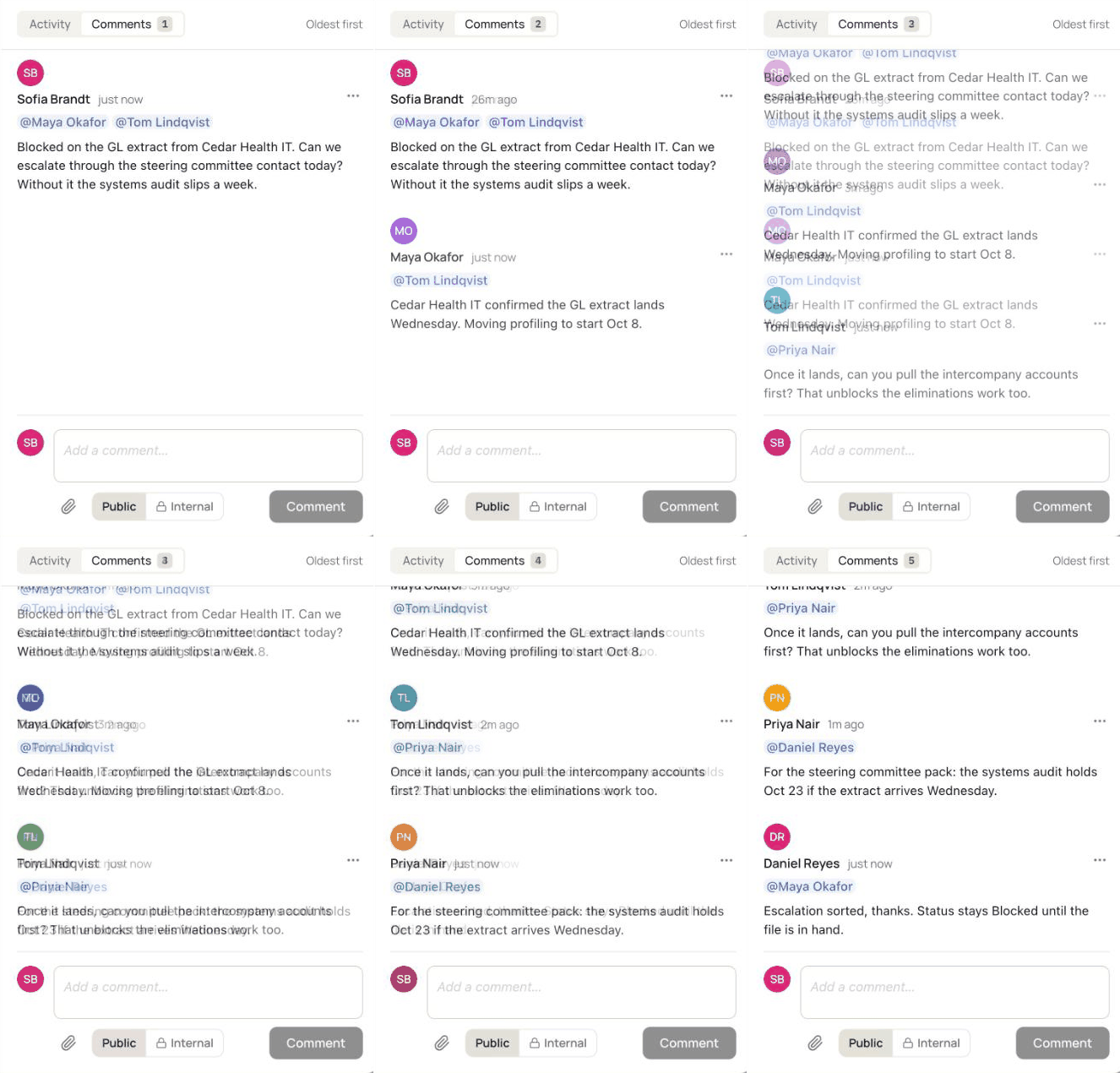
Keep the conversation on the work.
Comment on any task and @mention the person you need. New activity arrives live, no refresh. Bring clients and partners in as guests, with access to the one sheet and nothing else.
- Inbox sorted into Needs you, Mentions, Assigned to me and Following
- Internal comments that guests never see
- Share one sheet with view, edit, add or delete rights
Everyone’s in the same sheet. Right now.
Small things that save big hours.
Inbox
Mentions and updates that matter to you, in one list that works like email.
Files and links
Drop files and links on the task they belong to.
Checklists
Small steps inside a task, ticked off as you go.
Effort and dates
Estimate in plain language, like 2d 4h. Separate start, end and due dates.
Intake forms
A public form that turns each request into a row on the sheet.
Roles and guests
Owners, admins, members and scoped guests, set per sheet.
Trash and restore
Deleted tasks wait in Trash until you decide they are gone.
Budgets
Coming soonThe budget next to the plan and the work.